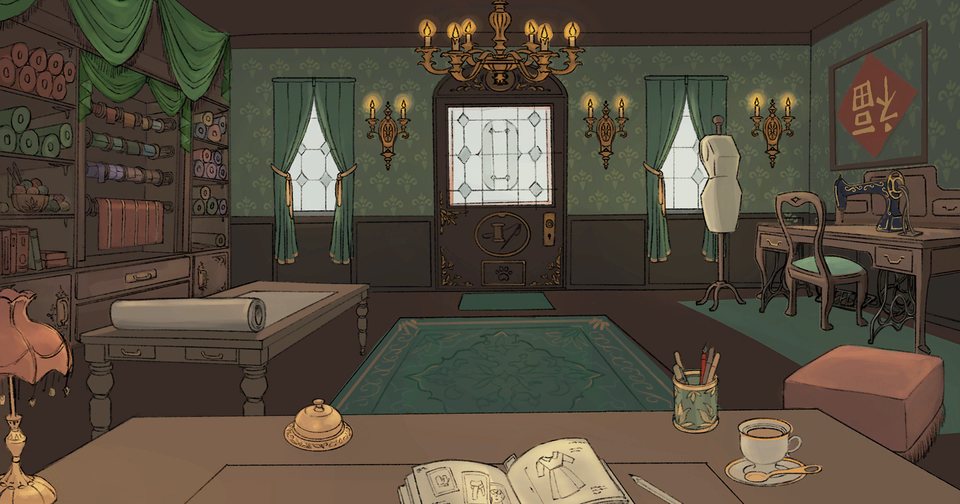
A client’s wish. A fabric you love. A little atelier, ready for your first creation.
THE ATELIER IS OPENBrowser edition · Mouse recommended
A SMALL SHOP. ENDLESS POSSIBILITIES.
Make something beautifully yours.
DESIGN · CUT · SEW · DELIVER
Ready when you are.
The Unity game downloads after you press Play. Give its loading bar time to finish. Loading help
SMALL DETAILS. SOMETHING SPECIAL.
From a blank page to someone’s favourite dress.
Dressmaker is a hands-on dressmaking game about turning a client’s idea into clothing. You work through design choices, fabric and the making process inside a painted little atelier. The pleasure is in seeing your choices become a garment.
Play in the window above and keep the first-commission guide beside you. Follow Rose’s request, explore your design notebook and get comfortable with the tools before moving on to your next creation.
Design a silhouetteExplore fabricsMake it by hand
01 / YOUR FIRST COMMISSION
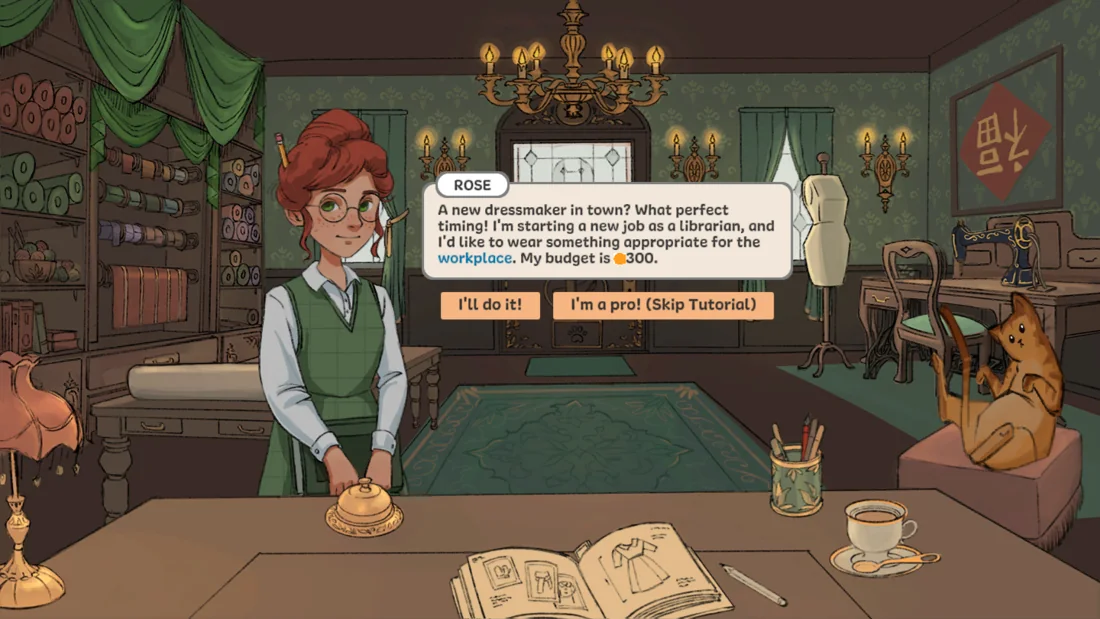
Meet Rose. Your first client.
Unsure where to begin? Here is what the opening commission actually looks like in the browser build.
BROWSER BUILD · ACTUAL GAMEPLAYRead the client’s brief before you say “I’ll do it!”THE CLIENT’S BRIEF
A dress for a librarian.
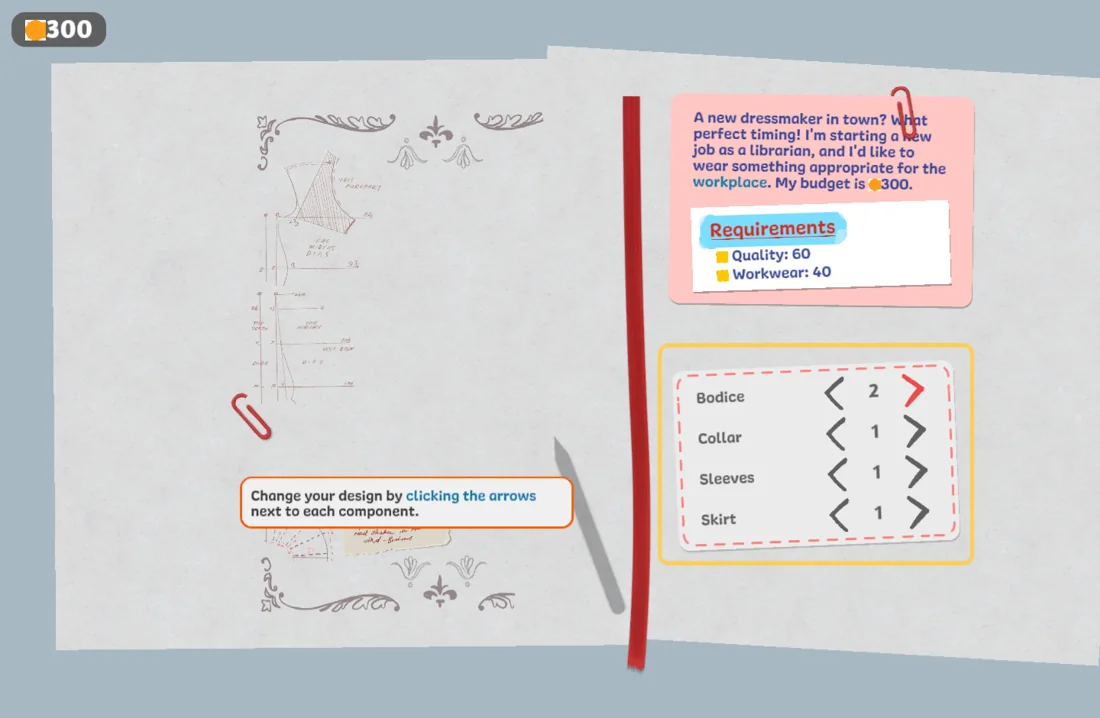
Rose needs workwear. In the opening request we tested, the brief shows these targets:
QUALITY
60
WORKWEAR
40
BUDGET
300
Keep the client’s brief close as you choose a design. New commissions can ask for different qualities and budgets.
Choose “I’ll do it!” to take Rose’s commission. Keep the client’s needs and budget in mind as the tutorial continues.
Explore the design book.
The notebook separates the garment into bodice, collar, sleeves and skirt. Click the arrows next to a part to change its design.
Compare before moving on.
Watch the drawing change as you click. Keep the workwear brief beside your design decisions, then follow the game’s own next prompt.
A useful first goal: understand each control before chasing a perfect result. This walkthrough covers the opening request and design-book controls.
BROWSER BUILD · THE DESIGN BOOKTry one change at a time and watch the sketch.
02 / THE MAKING PROCESS
A dress is made one thoughtful step at a time.
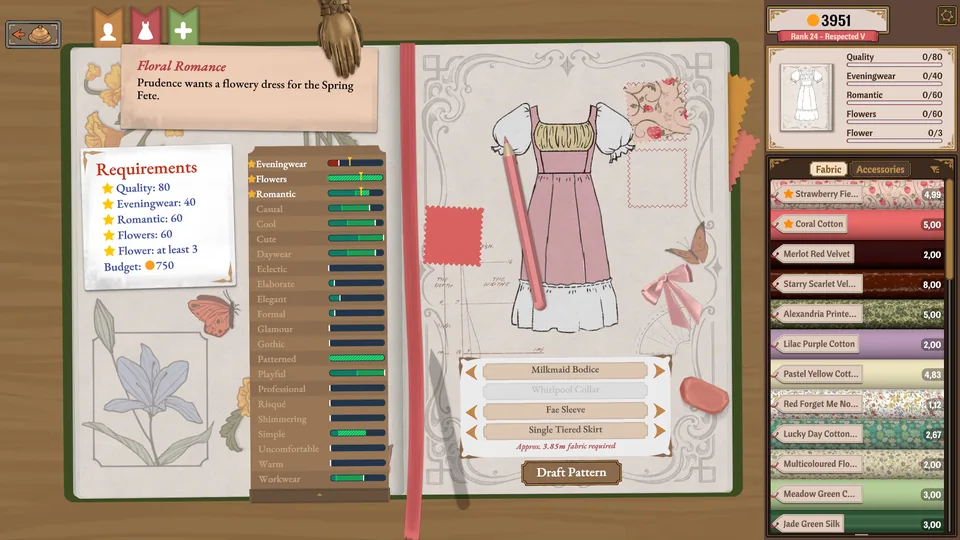
Get to know the craft behind Dressmaker. These official desktop images illustrate the wider making loop; the hosted browser build can differ.
OFFICIAL DESKTOP EDITION · FEATURES MAY DIFFER
IT STARTS WITH A CHOICE
Give the idea a shape and a texture.
Begin with the commission, then explore silhouettes in the design book and look through the available fabric. A client’s request gives the creative choices a direction.
Think about the whole garment: how the neckline meets the bodice, how the sleeves balance the skirt, and which fabric suits the idea. Follow the tutorial as it introduces each new tool.
Atelier note Change one garment part at a time. It is easier to see what each option adds to the sketch.
OFFICIAL DESKTOP EDITION · FEATURES MAY DIFFER
FROM DRAWING TO MATERIAL
Find the pattern. Make the cut.
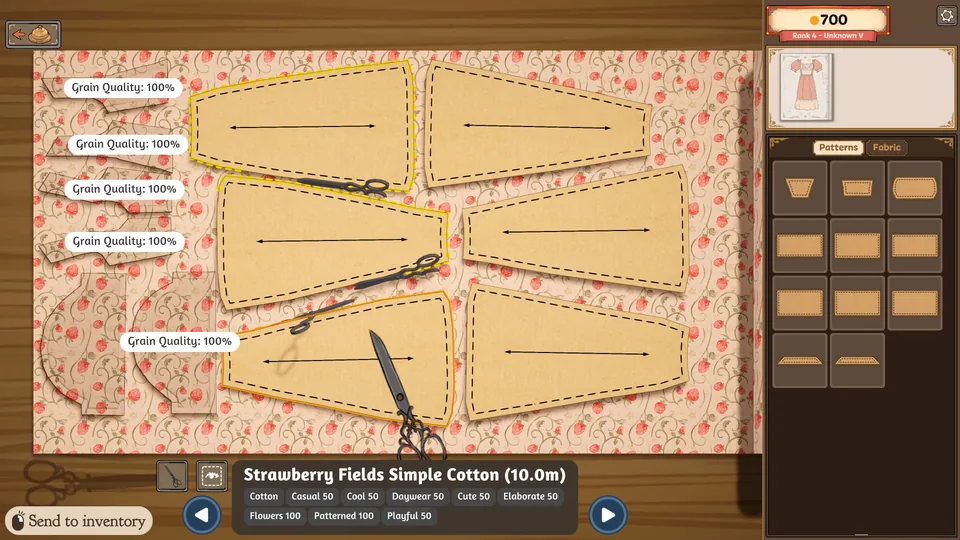
The official desktop game includes laying out pattern pieces on fabric and cutting them out. Pattern placement and fabric direction are part of the dressmaking process.
Take a moment to inspect the pattern pieces and available fabric before you cut. Follow the current tool prompt as you lay out each piece and bring the design off the page.
Atelier note Look at the fabric’s grain and bias when considering pattern placement. Fabric direction affects the appearance of a garment.
OFFICIAL DESKTOP EDITION · FEATURES MAY DIFFER
THE FINISHING TOUCHES
Bring the pieces beautifully together.
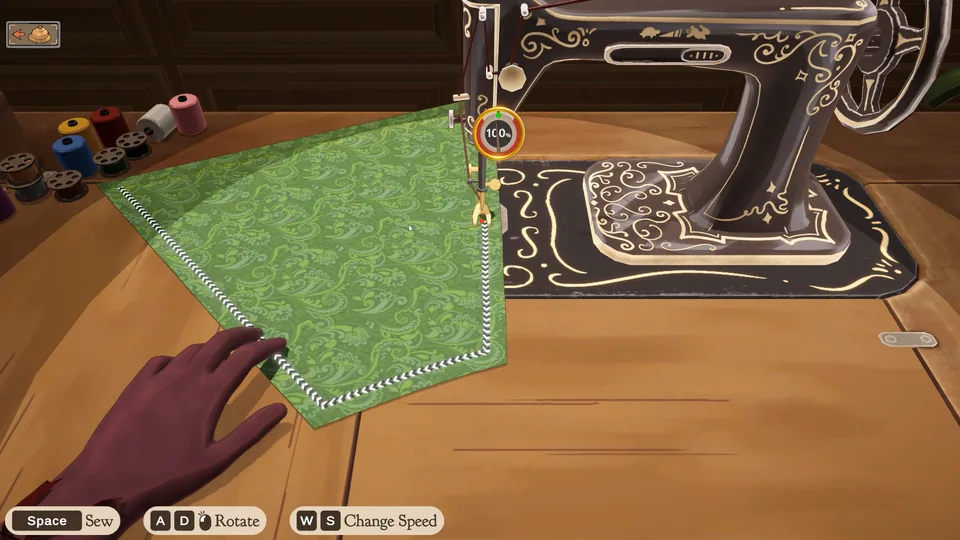
In the wider Dressmaker loop, you preview the garment on a mannequin, sew it and deliver the finished work to the client. The design becomes something you can see take shape.
Revisit the original request before delivery. Treat a completed commission as a chance to understand the relationship between your choices and the result, then carry that knowledge into the next design.
Atelier note Look over the finished silhouette on the mannequin before delivering the garment to the client.
03 / KEEP YOUR TOOLS CLOSE
Simple controls. Room to create.
A desktop or laptop gives the small notebook controls more room. Use Focus view for a wider window, or Fullscreen to keep the game and player controls together.
CLICK
Choose & change
Select dialogue choices, accept a request and use the notebook arrows to change garment parts.
FOLLOW
Use the in-game prompts
Read the tutorial when a new tool appears. Mouse or drag actions depend on the current making step.
EXPAND
Give the game more space
Focus view widens the player. Fullscreen expands the whole player; use its button or Escape to leave fullscreen.
RESTART
Start a fresh game session
Restart reloads the embedded game. Close game unloads it. Either action can discard unsaved progress.
A LITTLE HELP AT THE WORKTABLE
Taking a moment to open?
The browser game is a Unity build loaded from a separate host. Here is what to try before starting over.
01
Let the first download finish
Press Play once and watch the game’s own loading bar. The first visit can take longer; restarting during a download can delay it again.
02
If the window stays blank
Check your connection and whether the external game host is reachable. After waiting for the download, try Restart once. A host outage cannot be fixed by the player controls.
03
If clicks do not register
Click inside the game to give it focus. Try Fullscreen on a desktop browser if controls are too small. Touch input is not verified across devices.
04
Before closing or restarting
We have not verified persistent saves across visits. Finish a step before leaving where possible, and treat Restart as a fresh session.
KNOW YOUR EDITION
The same creative spirit. Different ways to play.
This independent site hosts a browser player and a guide. It is not the developer’s official store.
HERE
Hosted browser build
Play the hosted Unity browser build here. Features and saves may differ from the current desktop release.
ITCH.IO
Developer’s prototype page
The developer’s itch.io page provides the prototype’s download details. Check that page for its own platforms and release information.
A few useful answers about playing Dressmaker online.
How do I play Dressmaker online?
Press Play Dressmaker in the player at the top of this page, then allow the Unity loading bar to finish. Meet the first client, read the commission and follow the in-game tutorial. You can keep the first-commission guide below open while you learn.
What should I do in the first commission?
In the opening browser session we tested, Rose requests workwear with Quality 60, Workwear 40 and a budget of 300. Accept her request, then explore the bodice, collar, sleeve and skirt arrows in the design notebook. See the real screenshots in the guide above.
Can I play on a phone or tablet?
The website adapts to smaller screens, but that does not guarantee that the embedded Unity game supports every touch device. A desktop or laptop with a mouse is recommended, especially for small design controls.
Is this the same as the Steam version?
No. This player loads a hosted browser build. The current desktop release is a separate edition and can differ in content, controls and progression. The gallery labels desktop artwork so you can tell it apart from our browser screenshots.
Why is the game taking a while to load?
The Unity game downloads its own assets after you press Play. Your connection and the external host affect that download. Wait for the game’s loading bar before trying Restart, and see Loading help if the window remains blank.
Will my progress still be here next time?
Persistent saves across visits have not been verified for this hosted build. Restart and Close game unload the current session and may discard progress. Do not assume saves transfer between this player and the desktop edition.